Weather Now
A lightning-fast weather dashboard built with React and Material UI, delivering real-time climatic data through a clean, responsive interface.
Project Overview
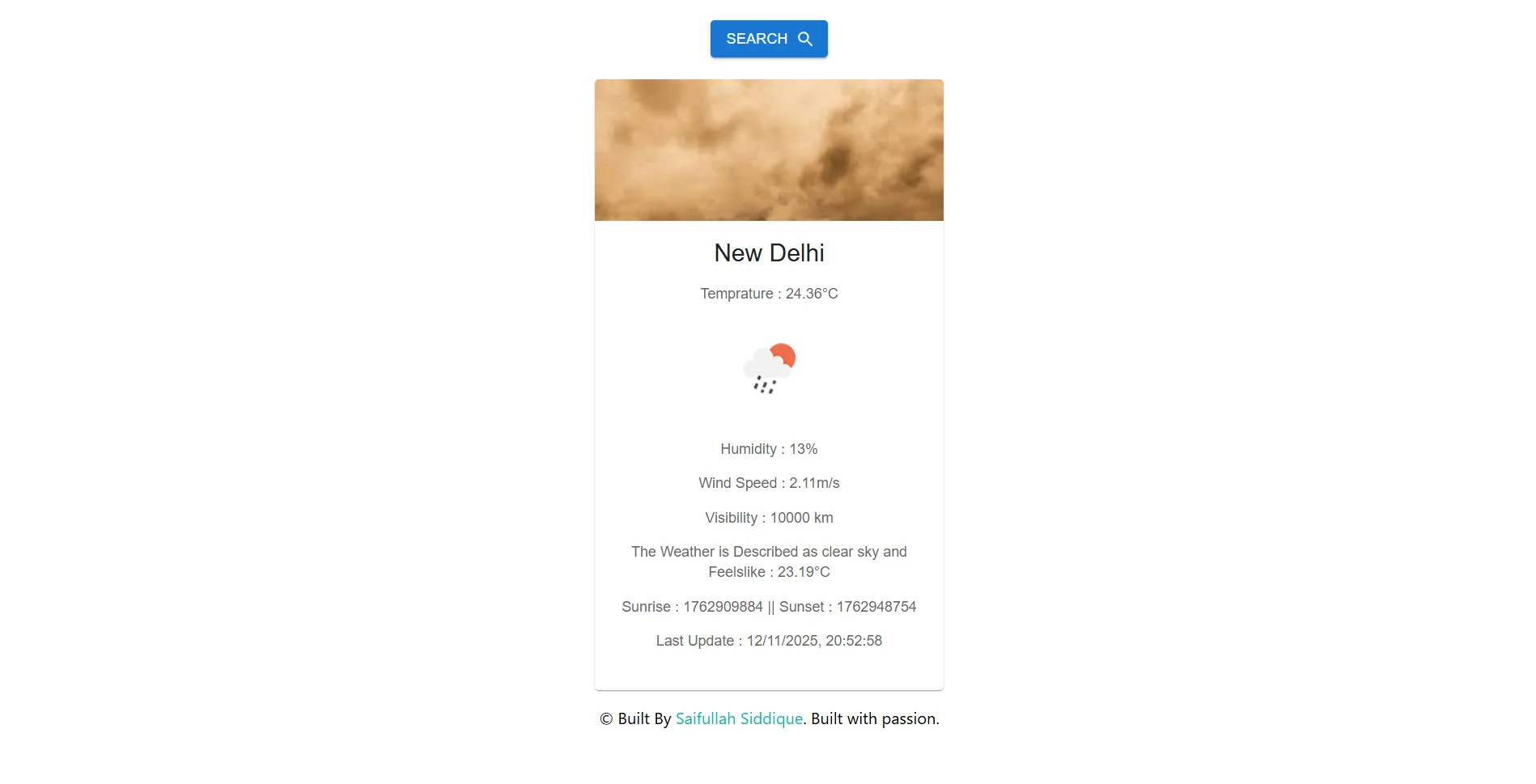
Weather Now is a sleek, single-page application (SPA) designed to provide instant weather updates for any location globally. By leveraging the speed of Vite and the robust component library of Material UI, the app ensures a seamless user experience. It features a dual-API architecture, using OpenStreetMap's Nominatim service for accurate geocoding and OpenWeatherMap for detailed meteorological data.
Core Features
- Auto-Geolocation: Automatically detects the user's location on startup using the browser's Geolocation API to display local weather instantly.
- Dual-API Integration: Combines Nominatim (OpenStreetMap) for precise coordinate lookup with OpenWeatherMap for climate data.
- Material UI Design: Utilizes `@mui/material` components like Cards and Typography for a polished, accessible, and responsive UI.
- Detailed Metrics: Displays temperature, humidity, visibility, wind speed, sunrise/sunset times, and "feels like" temperature.
- Robust Error Handling: Gracefully manages invalid city names and network errors with user-friendly feedback.
The Logic: Chained API Requests
A key challenge in weather apps is converting a city name into coordinates before fetching weather data. This logic demonstrates how I chained two asynchronous requests: first to `Nominatim` to get the latitude/longitude, and then to `OpenWeatherMap` for the actual data, all while managing loading states.
// SearchBox.jsx - Chained Async Operations

const GEO_CODE_API = "https://nominatim.openstreetmap.org/search";
const WEATHER_API = "https://api.openweathermap.org/data/2.5/weather";

// 1. Fetch Coordinates first (Geocoding)
const getCordinates = async(city) => {
    try {
        const res = await fetch(`${GEO_CODE_API}?q=${city}&format=json`);
        const data = await res.json();
        let {lat, lon} = data[0];
        return {lat, lon};
    } catch (err) {
        throw err;
    }
}

// 2. Fetch Weather using Coordinates
let getWeatherInfo = async(lat, lon, city) => {
    try {
        const res = await fetch(`${WEATHER_API}?lat=${lat}&lon=${lon}&appid=${WEATHER_API_KEY}&units=metric`);
        const jsonRespose = await res.json();

        // ... processing data (formatting time, etc.)

        return result;
    } catch (err) {
        throw err;
    }
}

// 3. Main Handler
const handleGetWeather = async(city) => {
    if(!city) return ;
    try {
        // Chain the requests: City -> Coords -> Weather
        let {lat, lon} = await getCordinates(city);
        let result = await getWeatherInfo(lat, lon, city);
        updateInfo(result); // Update React State
    } catch (err) {
        setError(true);
    }
}
Technology Stack
This project uses a modern frontend stack focused on performance and component reusability.
Learning Outcomes
Building Weather Now provided deep insights into handling asynchronous JavaScript and chaining multiple API requests. I learned to effectively use `useEffect` for triggering initial data fetches based on user location and `useState` for managing complex data objects. Implementing Material UI taught me the importance of using a design system for consistent theming and responsiveness across devices.