Instagram Profile Viewer
A server-side rendered application designed to fetch and display public Instagram profile data via an external API.
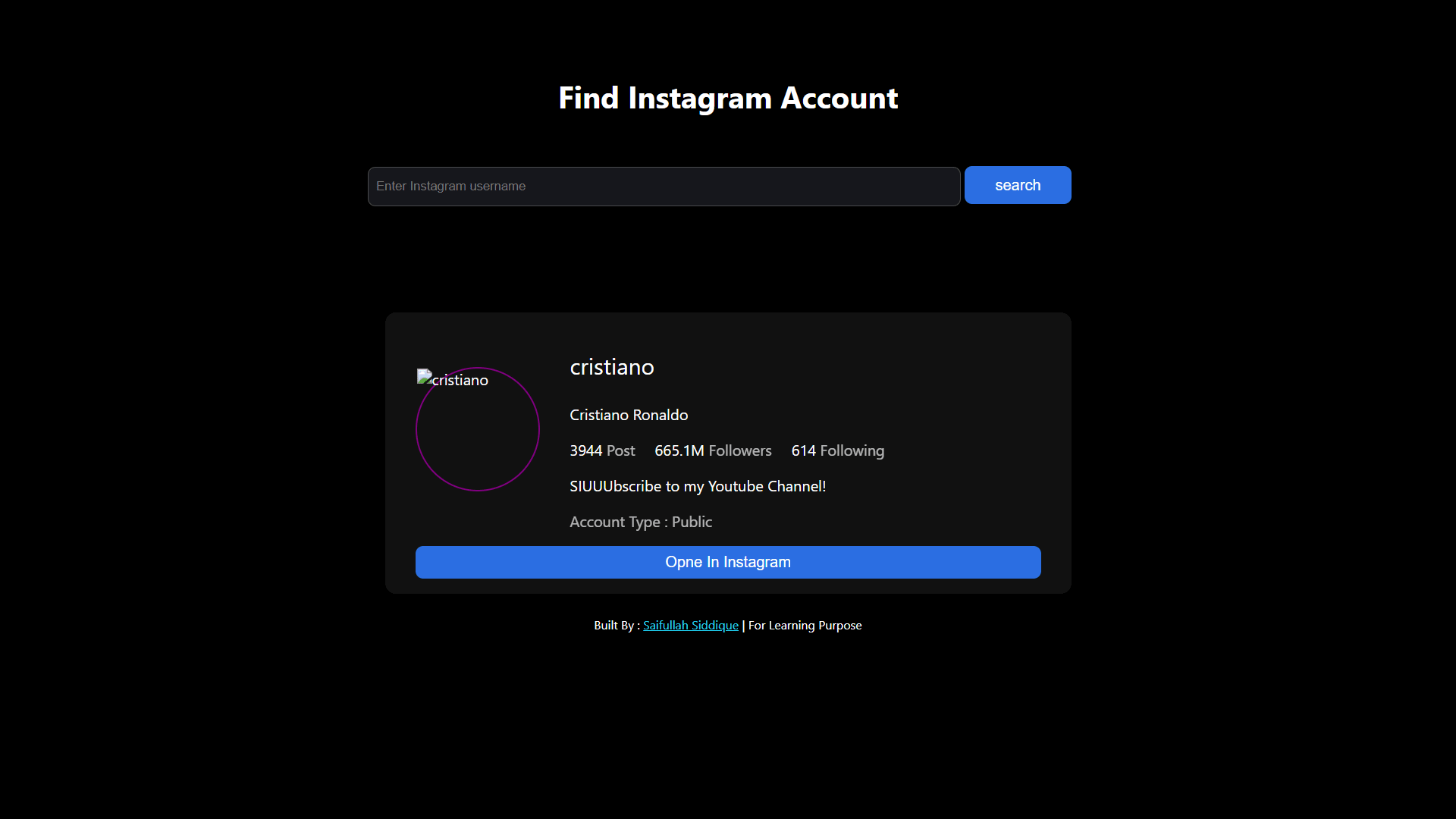
Project Overview
As a developer focused on backend technologies, I created the Instagram Profile Viewer to showcase my ability to build practical, server-driven applications. This tool acts as a simple bridge between a user and a third-party API. A user enters a public Instagram username, and the application's backend communicates with the API to fetch and elegantly display key profile details like follower counts, bio, and recent posts.
Key Features
- Real-Time Data Retrieval: The application uses `node-fetch` to make live requests to the API, ensuring the data displayed is always up-to-date.
- Server-Side Rendering (SSR): By using EJS as a templating engine, the complete HTML page is generated on the server. This results in a fast initial load time and an SEO-friendly experience.
- Clean & Responsive Interface: The user interface is built with clean, semantic HTML and styled with CSS to provide a seamless and intuitive experience on both desktop and mobile devices.
- Graceful Error Handling: The backend includes logic to handle cases where an Instagram profile is not found or the API fails to respond, presenting a clear message to the user instead of a broken page.
Technology Stack
The technology stack was carefully selected to create a lightweight but powerful server-side application. Each tool plays a specific and crucial role in the project's architecture.
Challenges & Learning
This project was an excellent learning experience that presented several real-world challenges. A significant hurdle was fetching the profile picture; while the API successfully provided a direct URL, displaying the image was blocked, likely due to cross-origin restrictions. I attempted several workarounds, including indirect routes, which provided a valuable lesson in how platforms protect their assets.
Additionally, as a new learner, navigating and correctly setting up the third-party API was a challenge in itself. It reinforced the importance of carefully reading documentation and understanding asynchronous programming in Node.js. Overcoming these obstacles solidified my understanding of the entire request-response cycle and the complexities of working with external data sources.